


Choose a commuter work bag by matching the bag to your actual load and route. Walking, crowded transit, and driving create different priorities for closure, access, organization, and carrying position, so there is no universal best work bag.
Start With Commute Mode and Actual Load
Write down what travels every day and what appears only occasionally. Measure any laptop with its sleeve, then list documents, charger, phone, wallet, access card, and personal essentials. Do not assume a bag fits lunch or a water bottle unless the product information or your own fit test supports it.
Next, map the route: walking time, stairs, transfers, crowded spaces, coat use, and how often you need to open the bag.
Check Laptop and Work-Item Fit
Product-stated laptop capacity is a useful starting point, but marketed screen size alone is not enough. Compare the device's width, front-to-back dimension, and thickness with the usable interior and opening in the intended orientation. Include the sleeve. If interior or opening measurements are unavailable, compatibility remains qualified.
Evaluate Closure and Quick Access
A zipper can increase coverage and containment; a magnetic snap or open top may allow faster access. Actual behavior varies with opening size and construction. Decide which items need quick access and which should be kept in a closed interior pocket.
No closure should be described as theft-proof or weatherproof without specific evidence.
Test Handles, Straps, and Loaded Carry
Load the bag with the intended items and wear the outer layer used on the commute. Check whether handles clear the coat, whether straps stay where you place them, and whether the opening remains usable. Comfort depends on the individual bag, load, clothing, route, and wearer; a silhouette cannot guarantee it.
Organize Essentials for the Route
Place a device and papers in a protected zone, work tools together, quick-access items in a consistent closed or controlled pocket, and spill-risk items away from electronics. Use built-in compartments before adding pouches or an insert.
Choose by Commute Mode
Walking
Prioritize a carrying position that works with your stride and actual load. Test movement and strap placement rather than relying on a “hands-free” or “comfortable” label.
Public Transit
Consider opening coverage, how close the bag can stay in crowded spaces, and whether an access card is reachable without exposing the main compartment.
Car or Hybrid Commute
Consider how the bag sits on the seat or floor, whether it remains upright, and how easily it can be moved between car, office, and short walking segments.
Tote, Crossbody, or Two Bags?
A tote can suit a verified laptop-and-documents load. A compact crossbody can suit days limited to small essentials. Two bags may work when one holds equipment and the other holds only the items needed for lunch or a short meeting. Avoid duplicating essentials or carrying two bags by default.
Verified ELLE Examples
The ELLE Monogram Work Tote Bag has three compartments, including a zipped center, interior zip and slip pockets, an exterior zip pocket, and product-stated capacity for a 13-inch laptop.

The ELLE Leather Tote Bag states capacity for a 14-inch laptop and has top handles, long shoulder straps, an interior zip pocket, and additional slip pockets.
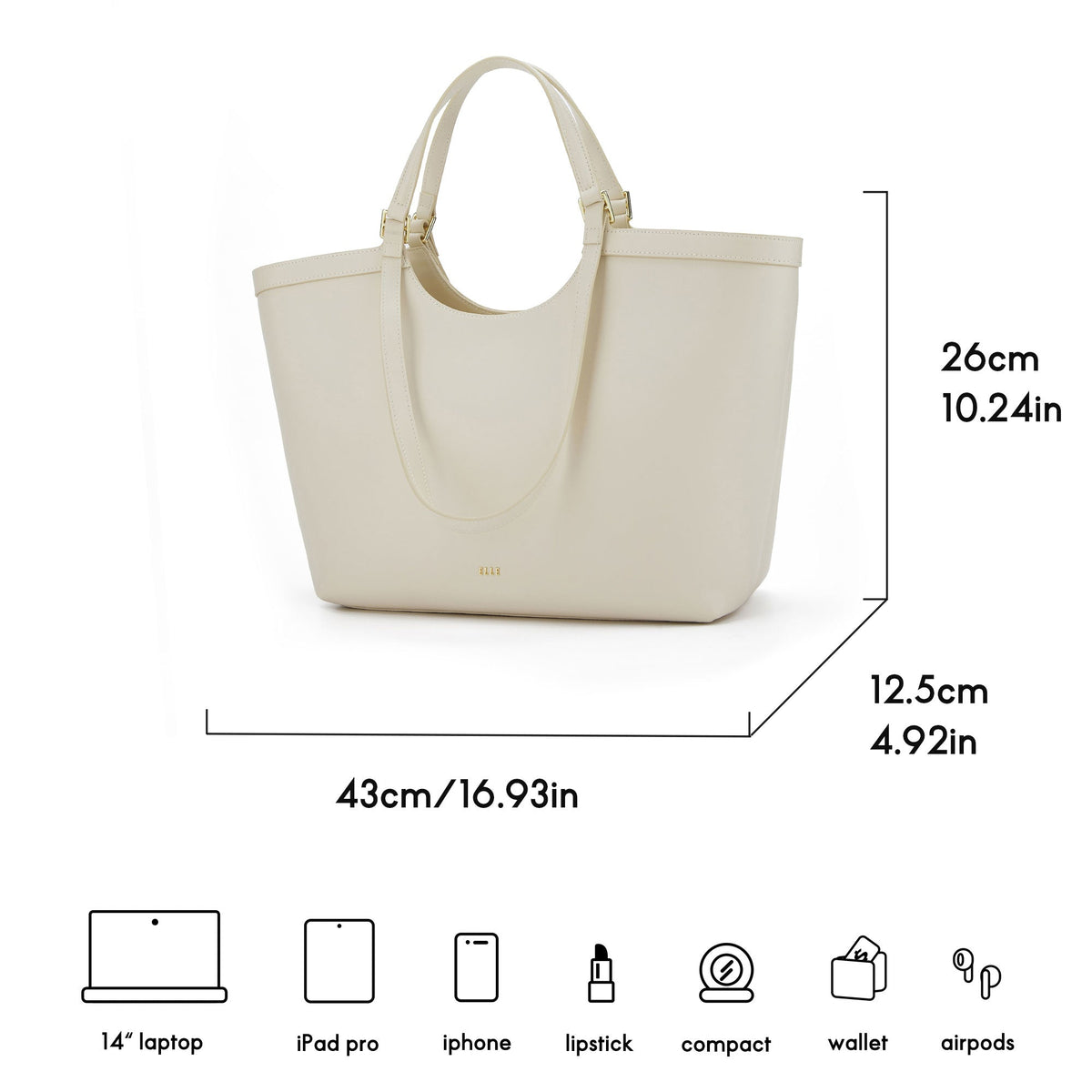
The ELLE Women's Full-Grain Leather Large Tote also states 14-inch laptop capacity and uses an open top with magnetic closure plus interior zip and slip pockets.

For a compact load, the ELLE Classic Leather Crossbody Bag has an adjustable detachable strap, top handle, turn-lock flap, and stated room for a phone, power bank, wallet, lipstick, and compact essentials.
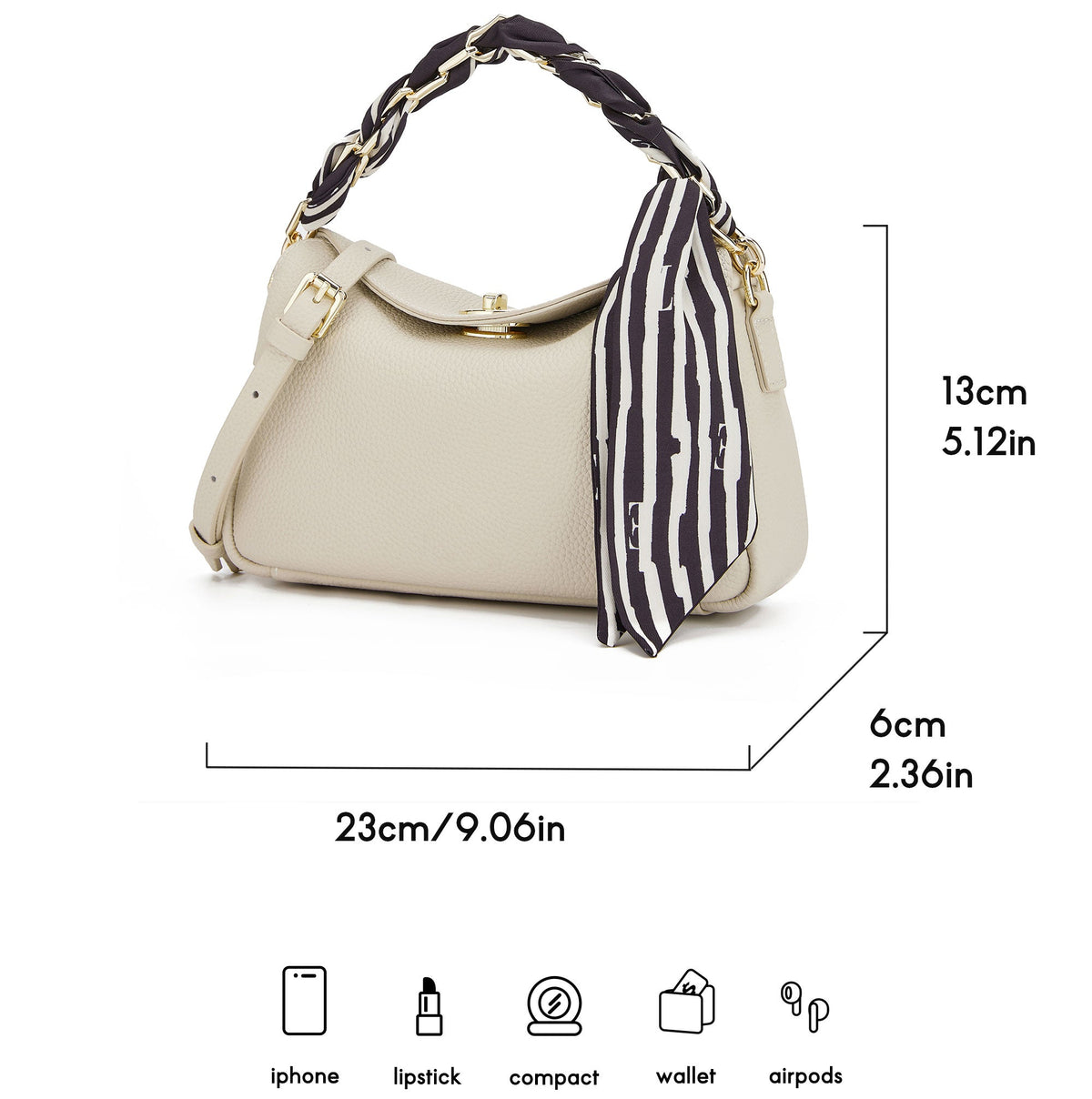
Compare ELLE totes and crossbody bags against your route and item list.
Commuter-Bag Checklist
- Define the daily load and route.
- Verify device fit with the sleeve.
- Match closure coverage to access needs.
- Test straps and handles with the loaded bag and outerwear.
- Give route essentials a consistent place.
- Choose one or two bags based on distinct loads, not habit.


